 dev HTML Playground
Paste it.
It's your app.
Free, no ads, no coding knowledge. dev HTML Playground (dHP) runs HTML written by ChatGPT or any AI on your phone, and keeps it.

Android is in a closed test. Join as a tester and use it right away
No server, no account. Your data stays on your phone.
How it works
Ask. Copy. Paste.
No computer required. Just three steps.
Ask an AI
Paste the "instructions for the AI" from the app into your AI chat. The AI asks "What would you like to make?" Answer in plain words.
Copy
Copy the AI's whole reply. Or share it straight to dHP.
Paste
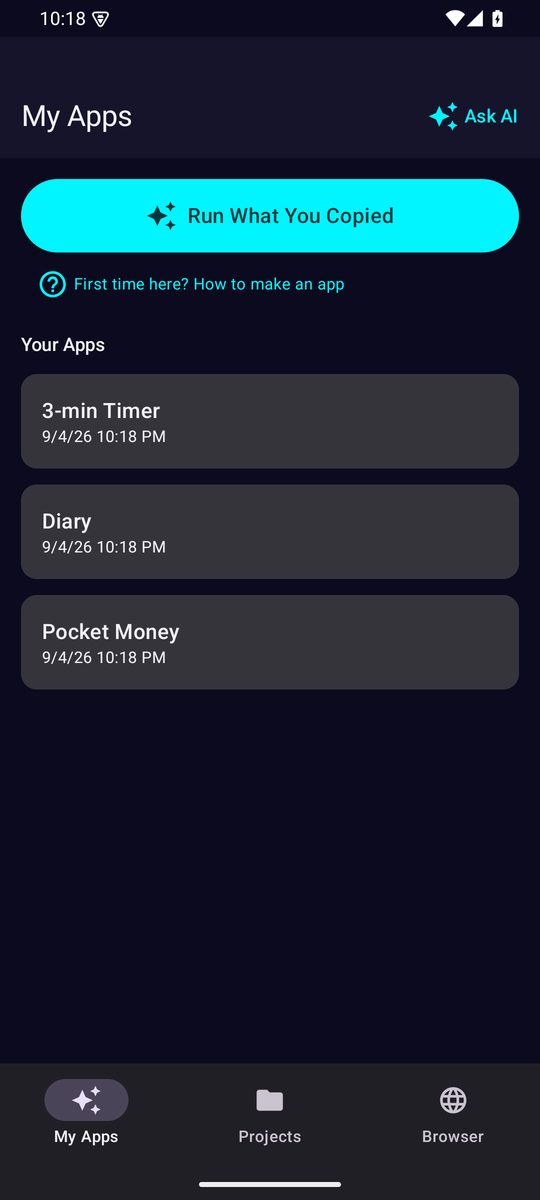
Tap "Run What You Copied". To-do lists, budgets, diaries, timers, quizzes and mini games run as your own apps.
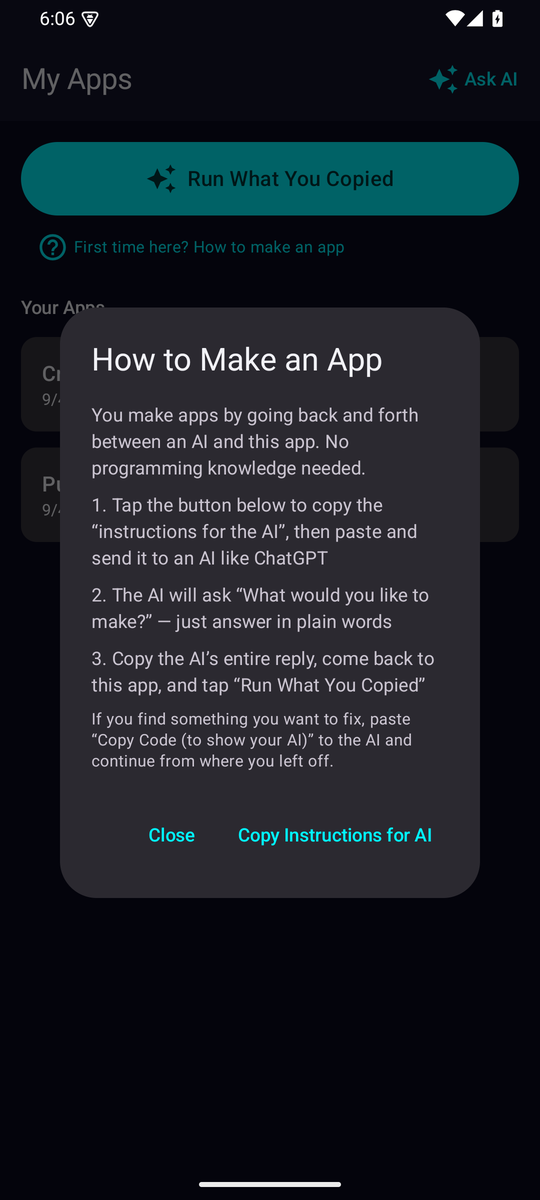
The in-app guide. Just these three steps
Keep
It stays.
It's yours.
Not buried in chat history. Your apps live in a list, and their data is stored only on your phone. Nothing is sent to a server.
It stays
Your apps live in a list, for good.
It's yours
Data is stored only on your phone, never sent to a server.
Works offline
Open your apps even without a connection.
On your Home Screen
"Add to Home Screen" launches it like a normal app.
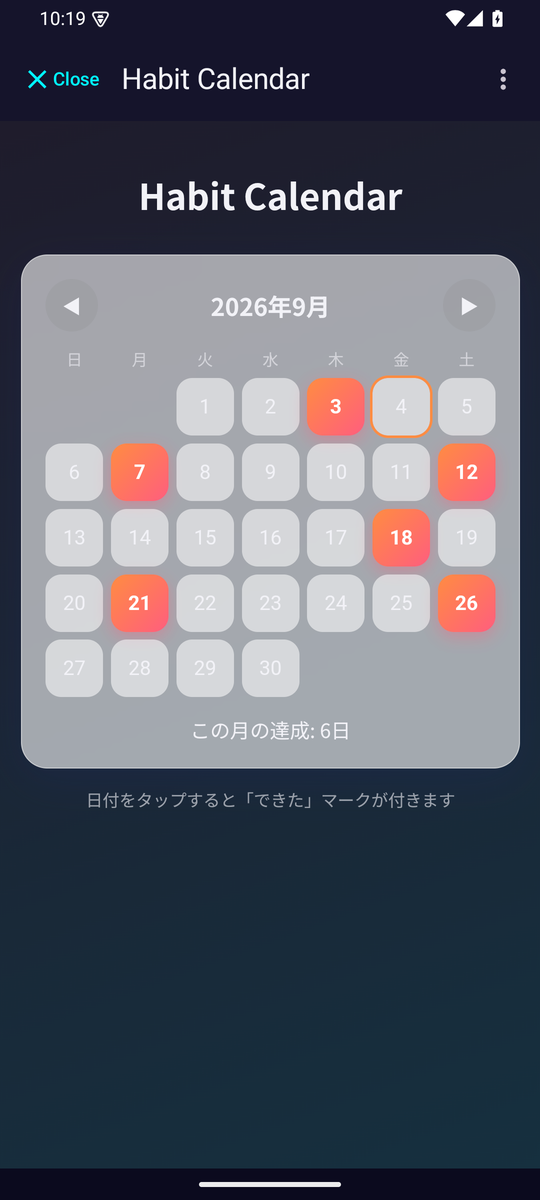
A habit calendar you made, opened from its home-screen icon
Update
To fix it,
just ask the AI.
Tap "Copy Code (to show your AI)", ask for changes, then replace the app with "Paste & Update". Saved data stays, and "Undo" brings back the previous version.
If pasted code has a problem, dHP warns you right away and prepares a message you can paste back to the AI.
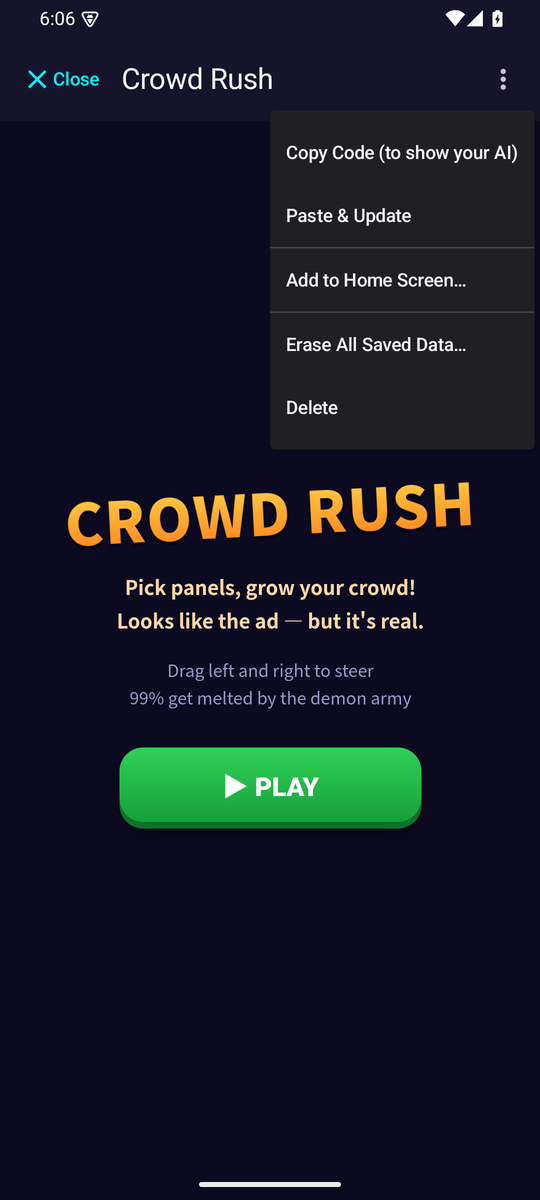
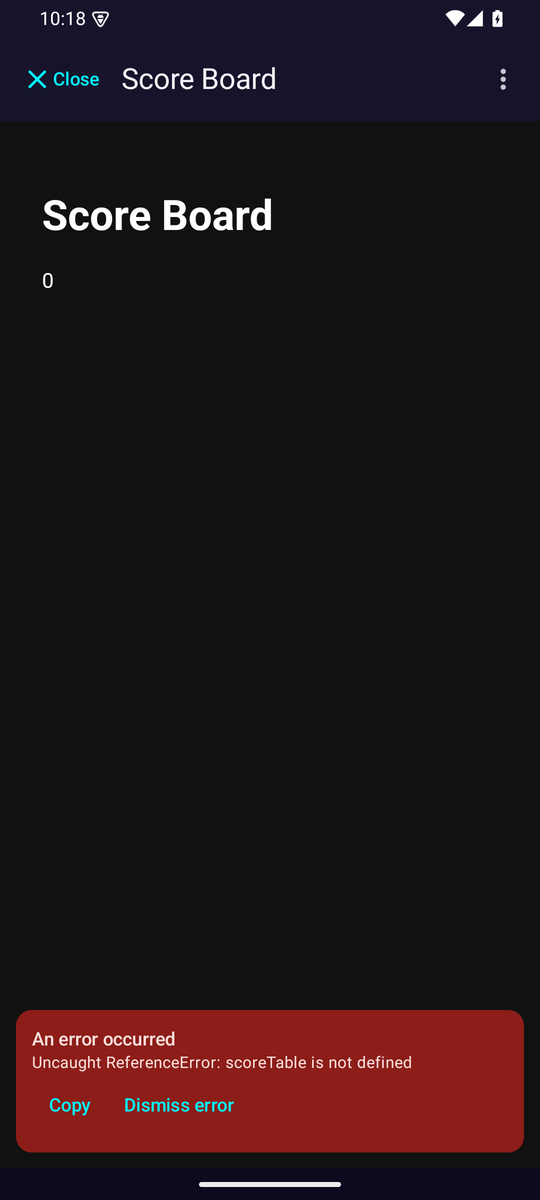
Left: the app menu (copy code, update, add to home screen). Right: what you see when something breaks
Included
Playable from the start.
The real versions of those ad games, the growing-crowd runner and the pull-the-pin puzzle, are included. Truly no ads. A perfect base for asking your AI to "add a stage".
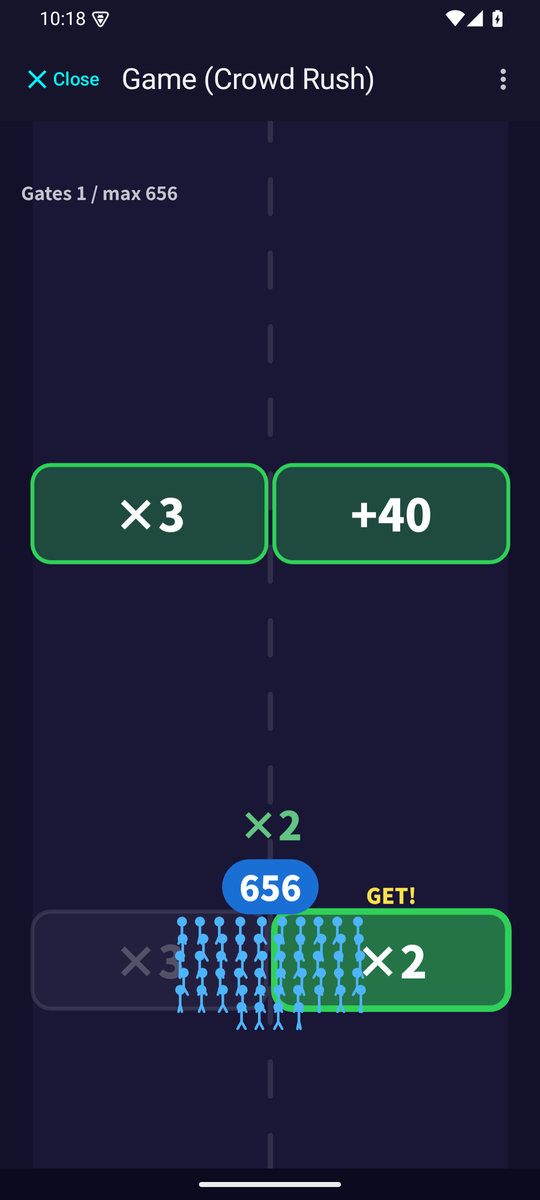
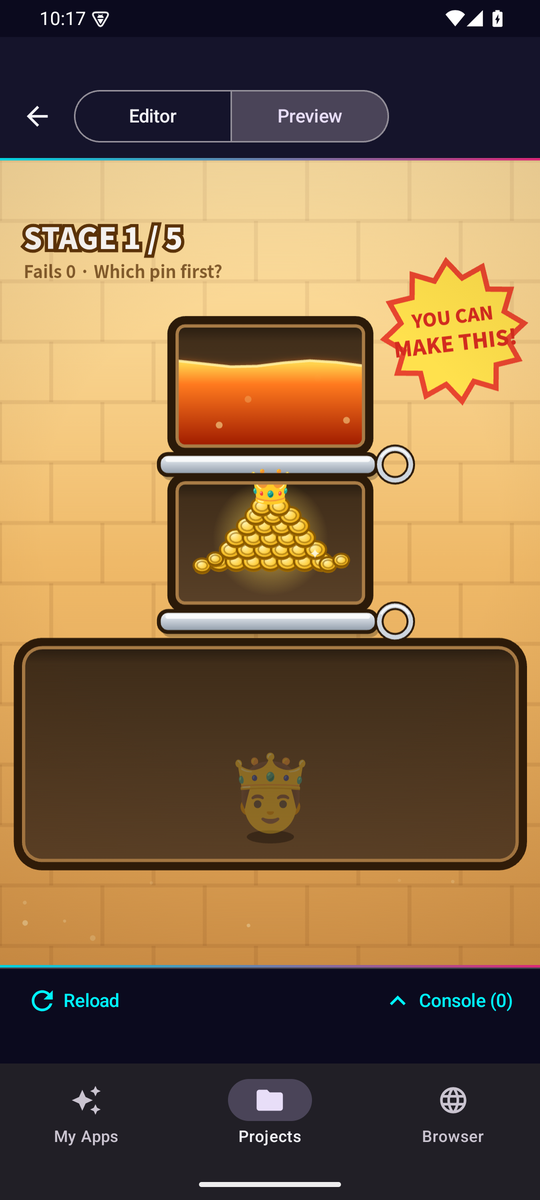
The two bundled games: Legion Rush and Pin Puzzle
Who it's for
No computer needed.
You already use an AI. You just had nowhere to run the code it wrote. This is that place.
People who already use an AI
Copy ChatGPT's reply and paste. No programming knowledge needed.
People without a computer
Make it, keep it and grow it on your phone alone. Use the budget or diary your AI built, every day.
Schools and organizations
Offline, no account, no server. A free app that supports bulk distribution, so classrooms can use it safely.
Contact us
FAQ
Good questions.
Does it work with AIs other than ChatGPT?
Yes. Gemini, Claude, Doubao, or any AI that can output HTML. Free AIs are enough.
Is it really free? Any ads?
Every feature is free and there are no ads. There is no server and no account; data is stored only on your phone.
What can I build?
Tools and games for one person: to-do lists, budgets, diaries, calculators, timers, quizzes, mini games, and viewers for documents an AI wrote.
Get dev HTML Playground.
Everything is free, with no ads.
Android is in a closed test. Join as a tester and use it right away
The Android version is in a Google Play closed test. You can use it right away as a tester.